How Virtual Try-On Works: From Photo Upload to Realistic Preview in Seconds

Quick answer
Online fashion has one stubborn problem: a shopper cannot see how something will look on their own body until it arrives. Product photos show a model, not the customer. Size charts are inconsistent between brands. Virtual try-on closes that gap. Here is how it actually works, in plain language.
What is virtual try-on?
Virtual try-on is technology that shows a shopper wearing a garment without physically putting it on. Instead of imagining how a shirt might look, or trusting a photo of a model who is not them, the shopper sees a realistic image of themselves in the item. It is the online equivalent of stepping into a fitting room, minus the fitting room.
How does virtual try-on actually work?
Modern virtual try-on is powered by AI image generation. The flow is simple from the shopper's side and does a lot of work underneath:
- The shopper provides a photo. They upload one or take a quick full-body photo on a phone or an in-store tablet. No measuring, no scanning.
- They pick a garment. The item comes from the store's real catalog, so what they try is what the store actually sells.
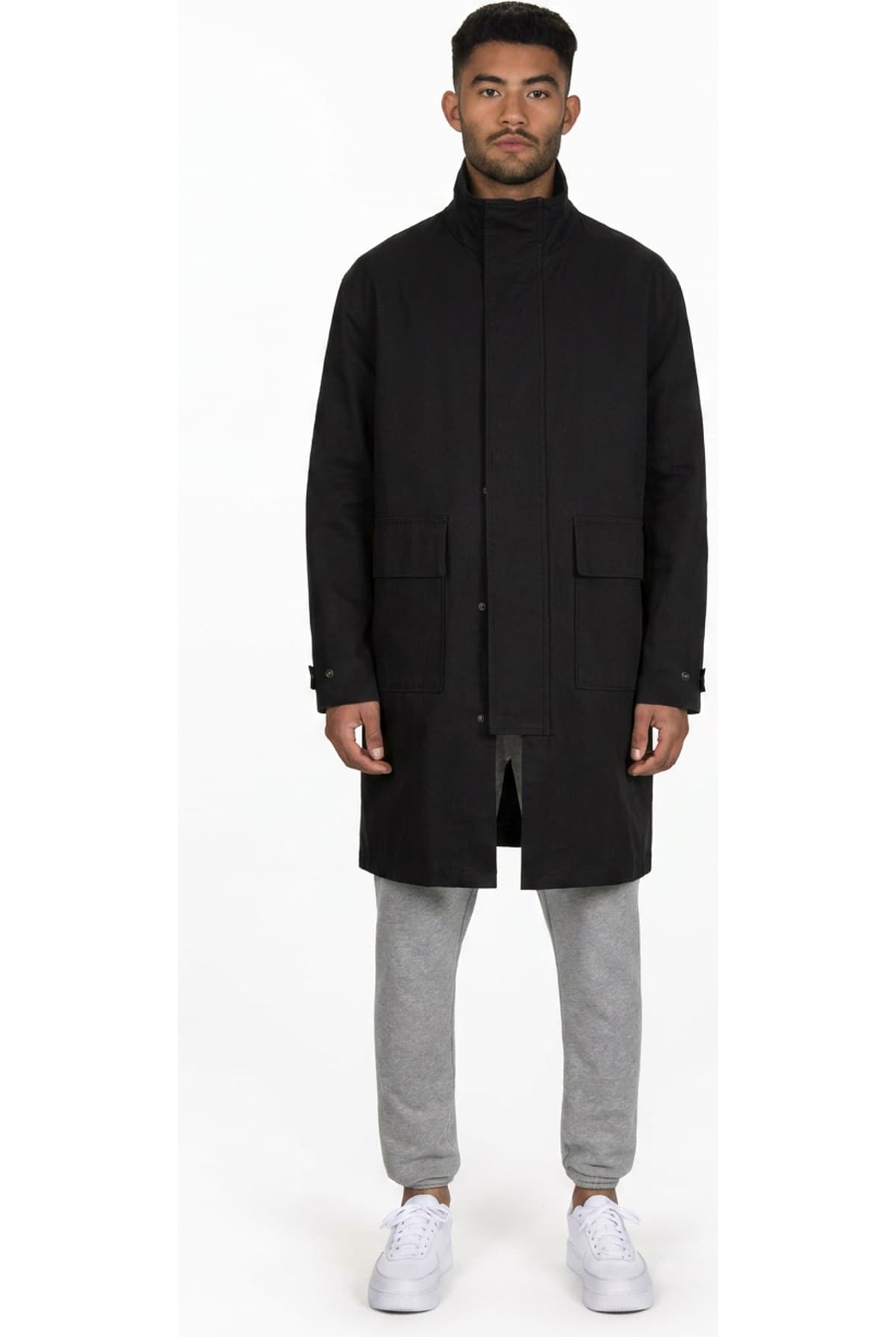
- An AI model generates the result. The model reads the person's body outline, pose, and proportions from their photo, then renders the chosen garment onto them, matching how the fabric would drape, fold, and catch light on that specific body.
- The preview appears in seconds. The shopper sees themselves in the item, keeping their own face, background, and pose, with the clothing realistically applied.
The important detail is what stays fixed and what changes. A good try-on keeps the person exactly as they are, their identity, their body, their pose, and only changes the clothing. That is the difference between a believable preview and an obviously fake paste-on.
Is virtual try-on accurate?
For the things shoppers actually judge before buying, color, cut, drape, length, and overall look, virtual try-on is accurate and useful. Where it gets more powerful is fit. A garment labeled medium means something different from brand to brand, so the strongest try-on tools account for the shopper's own build, not just the garment's stated size.
That is the approach Corlen takes: a shopper can indicate their own body size so the preview reflects how the piece would actually sit on them, tighter or looser, rather than assuming a perfect fit every time.
Where do shoppers use virtual try-on?
Virtual try-on is not one product; it is an engine that shows up wherever people shop. Corlen runs the same engine across three surfaces:
- On a product page. A Shopify app adds a try-on button directly to a store's product pages, so online shoppers can try before they buy without leaving the page.
- In a physical store. An in-store kiosk lets a customer try on as many pieces as they want on a tablet, without feeling watched or rushed.
- Inside another product. A developer API lets a team build virtual try-on into their own app or store directly.
What virtual try-on is not
It helps to set expectations. Image-based virtual try-on does not require a body scanner, a depth camera, or any special hardware. It is not a biometric system: a well-built tool never runs face recognition on the photo. And it should not be a privacy risk. Corlen never shares customer photos, never uses them for facial recognition, and deletes them automatically on a fixed schedule, with a manual delete option available at any time. You can read the specifics in the Privacy Notice.
The short version: virtual try-on takes the one thing online shopping could never do, letting people see clothes on their own body, and makes it happen in seconds from a normal photo. For how this applies to specific categories, see virtual try-on for kids clothing or virtual try-on for luxury fashion. For how it compares to the measurement-based approach, see body measurement vs virtual try-on. For a broader look at the technology landscape, virtual try-on clothes covers what works and what does not across all major approaches. If you want to understand the model architecture behind Corlen specifically, see Nano Banana Pro and virtual try-on models. For the difference between this image-based approach and the augmented reality filters used by social platforms, see AI virtual try-on vs AR filters.
Frequently asked questions
How does virtual try-on work?
A shopper provides a photo of themselves and picks a garment. An AI model then generates a new image that shows that specific person wearing that specific garment, keeping their face, body, and pose and rendering the clothing realistically on top. The result appears in seconds.
Is AI virtual try-on accurate?
Modern virtual try-on is accurate for shape, drape, color, and overall look, which is what most shoppers want to judge before buying. Fit realism improves further when the tool factors in the shopper's own body size rather than only the garment's stated size, which is how Corlen approaches it.
Does virtual try-on need a body scanner or special hardware?
No. Image-based virtual try-on works from an ordinary photo taken on a phone or captured at a kiosk. There is no body scanner, no measuring, and no special camera required.
Is virtual try-on safe for customer photos?
It can be, if the tool is built for it. Corlen never runs face recognition, never shares photos, and deletes them automatically on a fixed schedule with a manual delete option always available.
Where can shoppers use virtual try-on?
On a store's product page (through a Shopify app), on an in-store kiosk in a physical shop, or inside another company's own product through a developer API. Corlen runs the same try-on engine across all three.
Ready to add real try-on to your store?
Install Corlen on Shopify in minutes, or build it into your own platform with the developer API.
Similar posts
Build vs Buy: Should You Build Your Own Virtual Try-On AI?
Weighing an in-house virtual try-on model against an API or app. What building it yourself actually requires, and when that effort is worth it.
Read articleGuidesDoes Virtual Try-On Work for Petite and Tall Sizing?
Many virtual try-on tools render clothing on an average-height avatar, which misses petite and tall proportions. Here is why that happens and what fixes it.
Read articleGuidesHow to Add Virtual Try-On to a Mobile App: API Integration and Store Review Rules
A guide to adding AI virtual try-on to a native iOS or Android app: the API integration flow plus what Apple and Google actually require you to disclose.
Read articleSee it on your own photo
Corlen shows your customers how any garment looks on their own body, in seconds. Try it free, no account needed.
Try Corlen free